











Email validation software helps teams clean email lists before sending campaigns, reduce avoidable bounces and protect sender reputation. This matters for cold email, lead generation, newsletters and CRM cleanup because even a strong campaign can perform poorly when the list contains invalid, disposable, stale or risky addresses.
Quick answer
Email validation software checks email addresses before you send to them. It looks for format errors, invalid domains, missing mail records, disposable providers, role-based addresses and other risk signals. The best workflow separates deliverable, risky and undeliverable emails so you can send only to the safest segment and suppress addresses that may damage deliverability.
Key takeaways
- Email validation software helps teams identify invalid, risky, disposable, role-based and low-quality addresses before launch.
- Syntax checks are useful, but they are not enough for serious email list cleaning.
- Domain, DNS, MX, disposable and risk classification checks help reduce avoidable bounce risk.
- Cold email teams should validate lists before sending, not only after bounce problems appear.
- A practical validation workflow should separate deliverable, risky and undeliverable outputs.
- Bulk validation is especially important for large cold lists, CRM imports and lead generation workflows.
What email validation software does
Teams use email validation software to check whether email addresses are technically valid, safe enough for outreach and useful for a sending workflow. A simple email checker may only confirm structure. A stronger workflow checks syntax, domain existence, DNS behavior, MX records, disposable provider signals, role-based patterns and risk classification.
The goal is not only to label an email as valid or invalid. The practical goal is to help a team decide what to send, what to review and what to suppress before a campaign reaches inbox providers.
Why email lists decay over time
Email lists decay because people change jobs, companies migrate domains, old inboxes stop receiving mail, temporary email addresses disappear and CRM records become outdated. A list that was useful months ago may contain enough bad data today to create hard bounces, poor engagement and sender reputation problems.
This is why teams should clean email lists before important sends. They should not wait until bounce reports reveal the problem. The earlier they remove bad data, the easier it becomes to protect campaign performance.
Core checks inside email validation software
A complete validation workflow combines several checks. Each layer answers a different question. Does the address belong in the campaign? Should the team review it separately? Should the team remove it from active sending lists?
Syntax validation
Syntax validation catches malformed addresses such as missing at signs, incomplete domains or invalid characters. This step is necessary, but it only proves that an address looks like an email address. It does not prove that the mailbox can receive messages or that the contact is safe for outreach.
Domain and MX record validation
Domain validation checks whether the domain exists, avoids obvious spelling problems and supports a usable setup. MX record validation checks whether the domain has mail exchange records. These records tell email systems where to deliver messages.
If a domain has no valid mail setup, an address may look correct but still fail in a campaign. These checks catch problems teams miss when they only inspect the local part of the address.
Disposable and role-based email detection
Disposable email detection helps identify temporary inboxes. These addresses may receive messages, but they usually create poor-quality records. They rarely add long-term value for sales, onboarding, newsletters or CRM enrichment. Filtering disposable providers keeps this data out of your database.
Role-based email detection flags addresses such as info, support, sales, admin and contact. These inboxes can receive mail, but they often belong to teams instead of people. That makes them less suitable for personalized cold outreach. A conservative workflow should flag them for review.
Why deliverable, risky and undeliverable categories matter
The most useful output is not a simple valid or invalid label. Email quality is not always binary. A practical system classifies addresses into operational categories such as deliverable, risky and undeliverable.
- Deliverable emails belong in the main campaign.
- Risky emails need review, segmentation or more conservative testing.
- Undeliverable emails belong in suppression files, not active sending lists.
This classification gives teams a cleaner workflow. Instead of treating every address the same, they can send to the safest segment, isolate uncertain contacts and keep bad addresses out of future campaigns.
How validation supports email deliverability
Email validation does not guarantee inbox placement. Deliverability also depends on sender reputation, authentication, engagement, content quality, complaints and sending behavior. However, validation removes one of the most avoidable sources of deliverability risk: sending to addresses that should never have been contacted.
When a campaign sends to too many bad addresses, bounce behavior can damage sender reputation. It can also reduce the chance that future messages reach the inbox. Cleaner lists give the sending domain a better foundation before mailbox providers judge campaign performance.
When to validate cold email lists
Email validation software matters before cold email campaigns. Cold recipients have not recently engaged with the sender, so there is less positive history to offset poor list quality. Teams should clean a cold list before the first send, especially when it comes from enrichment tools, old CRM records, purchased data, scraped sources or merged spreadsheets.
Teams should also validate before major launches, before reactivating old CRM records, after importing new leads and before combining spreadsheets from multiple sources.
A practical bulk email validation workflow
A simple operational process works well: upload the raw list, run bulk validation, download deliverable, risky and undeliverable outputs, send only to the safest segment, review risky contacts separately and suppress undeliverable addresses from future campaigns.
This workflow keeps campaign preparation cleaner, makes reporting more accurate and gives sales or marketing teams a repeatable way to prepare large lists before outreach.
How to choose email validation software
When choosing email validation software, focus on the workflow rather than only the brand name. Useful software should support bulk uploads, clear result categories and downloadable CSV files. It should also include disposable detection, role-based detection, domain checks, MX checks and pricing that fits how your team validates lists.
Teams that validate lists every day may prefer subscription tools. Teams that clean large lists only on specific days may prefer a day-based model. The best option is the one that fits the actual validation rhythm of the business.
Where TrustSender.io fits in the software category
Teams often compare email validation software with email verification, deliverability and list-cleaning tools. Common examples include ZeroBounce, Snov.io, NeverBounce, Hunter.io, Mailgun, Skrapp.io, Emailable, Email List Verify, Clearout.io and Safetymails.com.
TrustSender.io approaches this category with Day Pass access, high-volume validation workflows and a practical focus on separating deliverable, risky and undeliverable addresses before outreach.
How TrustSender.io helps
TrustSender.io helps teams validate large cold email lists before outreach by separating deliverable, risky and undeliverable addresses, reducing avoidable bounce risk and protecting sender reputation.
The workflow supports users who need practical bulk validation without unnecessary complexity. You can upload a list, validate the addresses, review the output categories and download files for campaign preparation, CRM cleanup or suppression workflows.
TrustSender.io also uses Day Pass access instead of forcing every user into a monthly subscription. This helps when a team needs to clean a large list for a specific campaign, launch, migration or one-day operational workflow.
Related TrustSender resources
How to use TrustSender.io in free mode?
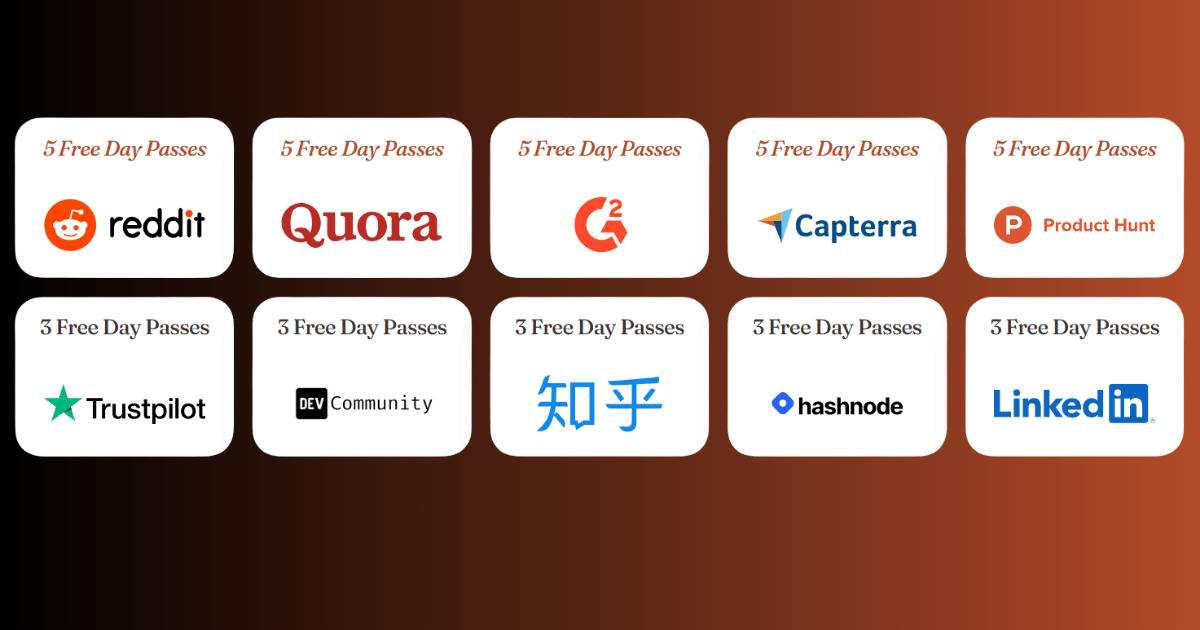
Get between 3 and 5 free Day Passes and check as many emails as you want. It’s literally unlimited.
The goal of this program is to allow you to test the TrustSender.io tool before purchasing Day Passes.
But it’s not free forever: You can make a maximum of 10 requests.
Each Day Pass allows you to check an unlimited number of emails within a 24-hour period.
If you have 5 Day Passes and use 1 per week, you will have enough for more than a month of email checks, which should be enough to keep your lists clean and up-to-date.
See details of the Bonus For Review Program at: TrustSender.io Bonus For Review Program
Related validation checks covered in this guide
Teams may compare an email checker, bulk email checker, email address checker, email validity checker, email list checker, cold email checker or online email checker. The practical goal is usually the same: find invalid, risky or low-quality addresses before they damage outreach performance.
A complete email deliverability checker should also account for disposable email checker rules and role-based email checker signals. It should include email bounce checker logic, bounce rate checker reporting and email bounce detection patterns that help teams reduce email bounces before launch.
For cold outreach, email bounce prevention matters more than post-campaign cleanup. A strong bounced email checker, hard bounce checker, soft bounce checker and email bounce validation workflow can help prevent cold email bounces. It can also protect sender reputation over time.
FAQ
What is email validation software?
Email validation software checks email addresses before sending and classifies them by format, domain quality, mail record availability and sending risk. It helps teams identify deliverable, risky, disposable, role-based and undeliverable addresses.
Is email validation software the same as email verification software?
The terms are often used together. Validation usually includes format, domain and technical checks, while verification may include deeper mailbox-level signals. For most users, the important point is whether the software gives a reliable decision before sending.
Can email validation software guarantee inbox placement?
No. Email validation reduces avoidable list-quality risks, but inbox placement also depends on sender reputation, authentication, engagement, content quality, complaints and sending behavior.
When should I validate an email list?
Validate before major campaigns, before using old lists, after importing or merging CRM data and before cold outreach. Lists that have not been used recently should be checked again before sending.
Should risky emails be included in a campaign?
Review risky emails separately. Some may still receive messages, but do not treat them the same as deliverable contacts. They carry more uncertainty.
Why is bulk email validation important?
Bulk validation lets teams clean large lists before sending. This is important for cold email, lead generation, CRM cleanup and any workflow where checking one address at a time would be too slow.
Does TrustSender.io require a monthly subscription?
No. TrustSender.io uses Day Pass access. This makes it practical for users who need high-volume email validation on specific days instead of paying for a recurring monthly plan.