

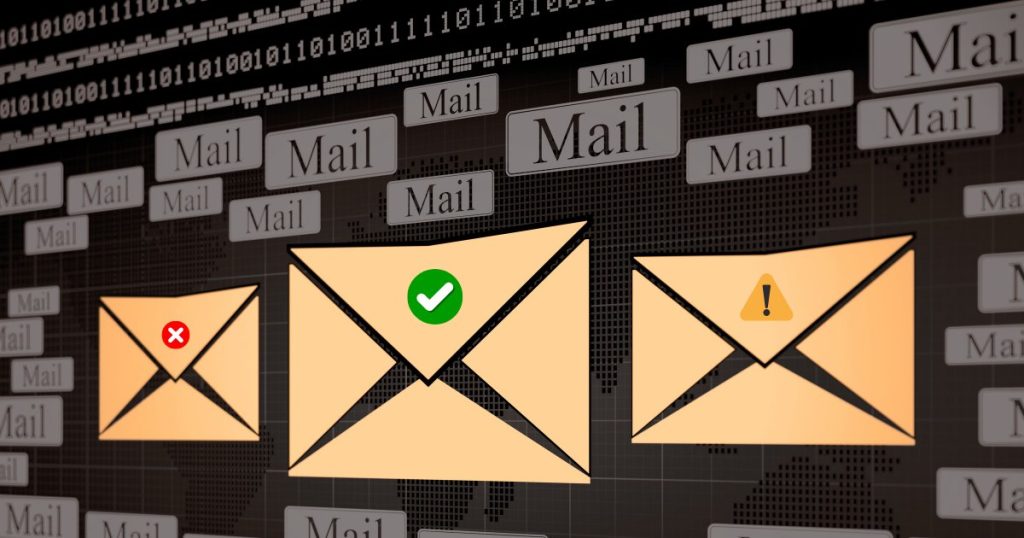









Free bulk email validation helps you clean a large email list before you send a campaign. Instead of uploading thousands of addresses directly into an email platform and waiting for bounces, you check the list first, separate safer contacts from risky ones and remove addresses that are clearly invalid.
This matters because large campaigns expose list quality problems quickly. A small number of invalid, disposable, mistyped or inactive addresses may look harmless in a spreadsheet. At sending time, they can increase bounce risk, damage sender reputation and make future campaigns harder to deliver.
This guide explains how to use free bulk email validation in a practical way, what results to expect and how to turn validation output into a cleaner sending list.
Quick answer
Free bulk email validation is the process of checking many email addresses at once before sending. A good workflow flags invalid addresses, risky domains, syntax problems, disposable emails and other signals that may increase bounce or deliverability risk. Use it before cold outreach, newsletter imports, CRM exports or any campaign sent to an older or unverified list.
Key takeaways
- Bulk validation is most useful before sending to large, cold or aging lists.
- A clean email list reduces avoidable hard bounces and helps protect sender reputation.
- Free tools are useful for testing a workflow, but limits vary by provider.
- Validation results should be grouped into deliverable, risky and undeliverable categories.
- Risky emails should not always be deleted, but they should be handled with caution.
- Email hygiene is not a one-time task; lists should be checked regularly.
What free bulk email validation means
Free bulk email validation means checking a file or pasted list of addresses without paying upfront. The goal is not only to find obvious typos. A useful email checker should help you understand whether each address is likely to be usable, risky or unsuitable for sending.
In practice, bulk email validation may include syntax validation, domain validation, MX record validation, disposable email detection and risk scoring. Some tools also identify role-based emails, catch-all domains or addresses that cannot be confirmed with high confidence.
The output should help you answer one simple question: should this address be included in the next campaign, reviewed manually or removed before sending?
When to validate a large email list
You should validate a large list before any campaign where list quality is uncertain. This includes cold email prospecting, old newsletter exports, purchased or appended data, scraped contacts, event lists, CRM records and lists that have not been contacted for several months.
Even opted-in lists decay over time. People change jobs, domains expire, inboxes are abandoned and companies restructure their email systems. If your list has been inactive for a long period, email list verification should happen before the next send, not after bounces appear.
For bulk senders, list quality is only one part of deliverability. Authentication, unsubscribe handling, spam complaints, sending volume and message quality also matter. For example, Gmail’s sender guidance asks senders to keep spam rates low and follow stricter requirements when sending high volumes to Gmail accounts. See Gmail’s sender guidance here: Gmail sender guidelines for bulk senders.
A practical free bulk email validation workflow
A good workflow starts before the upload. Do not treat email validation software as a magic filter that fixes every data problem. Prepare the list first, remove duplicates and confirm that you are allowed to contact the people on it.
| Step | What to do | Why it matters |
|---|---|---|
| 1. Prepare the file | Export one clean column of email addresses. | Cleaner input improves the validation process. |
| 2. Remove duplicates | Keep one version of each email address. | Duplicates distort list size and campaign planning. |
| 3. Validate in bulk | Upload or paste the list into a bulk email checker. | This separates safer contacts from risky or invalid ones. |
| 4. Review categories | Check deliverable, risky and undeliverable groups. | Different categories require different decisions. |
| 5. Export clean segments | Use the clean segment for sending and keep risky contacts separate. | This reduces avoidable bounce risk. |
| 6. Monitor after sending | Watch bounces, complaints and engagement. | Validation supports deliverability, but it does not replace sending discipline. |
How to read validation results
Most bulk email verification workflows become easier when results are grouped into three practical categories.
Deliverable
Deliverable addresses pass the most important checks available in the validation process. They have valid formatting, a usable domain and no obvious risk signal. This does not guarantee inbox placement, but it usually means the address is safer to include than unknown or invalid contacts.
Risky
Risky addresses need judgment. They may be associated with catch-all domains, role-based inboxes, unusual domain behavior or signals that cannot be fully confirmed. A risky result is not always bad, but it should not be treated like a clean individual business contact.
Undeliverable
Undeliverable addresses should usually be removed before sending. These may include invalid syntax, missing domains, domains without valid mail infrastructure or addresses with strong failure signals. Keeping them in your list can increase bounce rate without adding real opportunity.
What free tools can and cannot do
Free bulk email validation is useful for testing a workflow, cleaning a sample list or preparing a campaign when budget is limited. However, free access often comes with caps, queues or feature limits. Some tools limit the number of credits. Others limit export size or require a paid plan for high-volume checks.
The important point is to understand the tradeoff. If your list is small, a limited free email validation tool may be enough. If you regularly validate thousands of emails, you need a workflow that supports larger files, clear exports and repeatable list hygiene.
How TrustSender.io helps
TrustSender.io helps teams validate large email lists before outreach by separating results into practical output files. Instead of treating every address as equal, the workflow helps you identify deliverable, risky and undeliverable contacts before you send.
This is useful for cold email list cleaning, newsletter preparation, CRM exports and campaign planning. The goal is to reduce avoidable bounce risk, protect sender reputation and give you a clearer view of list quality before your sending platform sees the file.
TrustSender.io is not a replacement for consent, unsubscribe handling, authentication or responsible sending. It is a validation layer that supports better email hygiene before the campaign starts.
Related TrustSender resources
- Free Email List Validation: Clean Lists, Boost Deliverability
- Email List Validation Free: Clean Your List and Boost Deliverability
- Your Guide to Email Validation Software
- Email Validation Checker: What to Know Before You Send
How to use TrustSender.io in free mode?
Get between 3 and 5 free Day Passes and check as many emails as you want. It’s literally unlimited.
The goal of this program is to allow you to test the TrustSender.io tool before purchasing Day Passes.
But it’s not free forever: You can make a maximum of 10 requests.
Each Day Pass allows you to check an unlimited number of emails within a 24-hour period.
If you have 5 Day Passes and use 1 per week, you will have enough for more than a month of email checks, which should be enough to keep your lists clean and up-to-date.
See details of the Bonus For Review Program at: TrustSender.io Bonus For Review Program

Related validation checks covered in this guide
- Syntax validation for malformed email addresses.
- Domain validation to check whether the domain can support email.
- MX record validation to confirm mail server configuration.
- Disposable email checker signals for temporary inboxes.
- Risk scoring for catch-all, role-based or uncertain contacts.
- Bulk email validation outputs for campaign preparation.
FAQ
What is free bulk email validation?
Free bulk email validation is the process of checking many email addresses at once without paying upfront. It helps identify deliverable, risky and undeliverable contacts before you send a campaign.
Is free bulk email validation enough for large campaigns?
It depends on the tool and the list size. Some free tools are enough for small tests, while larger lists may need a workflow that supports high-volume validation, clear exports and repeatable email hygiene.
Should I remove every risky email address?
Not always. Risky emails should be reviewed separately. Some may be valid but uncertain, while others may be poor choices for outreach. Treat risky contacts more carefully than deliverable contacts.
Does email validation guarantee inbox placement?
No. Email validation helps reduce avoidable bounce risk, but inbox placement also depends on authentication, sender reputation, content quality, recipient engagement, sending volume and complaint rates.
How often should I validate an email list?
Validate before major sends, before importing old lists and whenever a list has not been contacted for several months. For active outbound teams, regular validation should be part of the campaign preparation process.